Custom Properties
Extend your CRM data model by adding custom fields to contacts, companies, deals, and tickets. Custom properties appear in forms, chat responses, and table views.
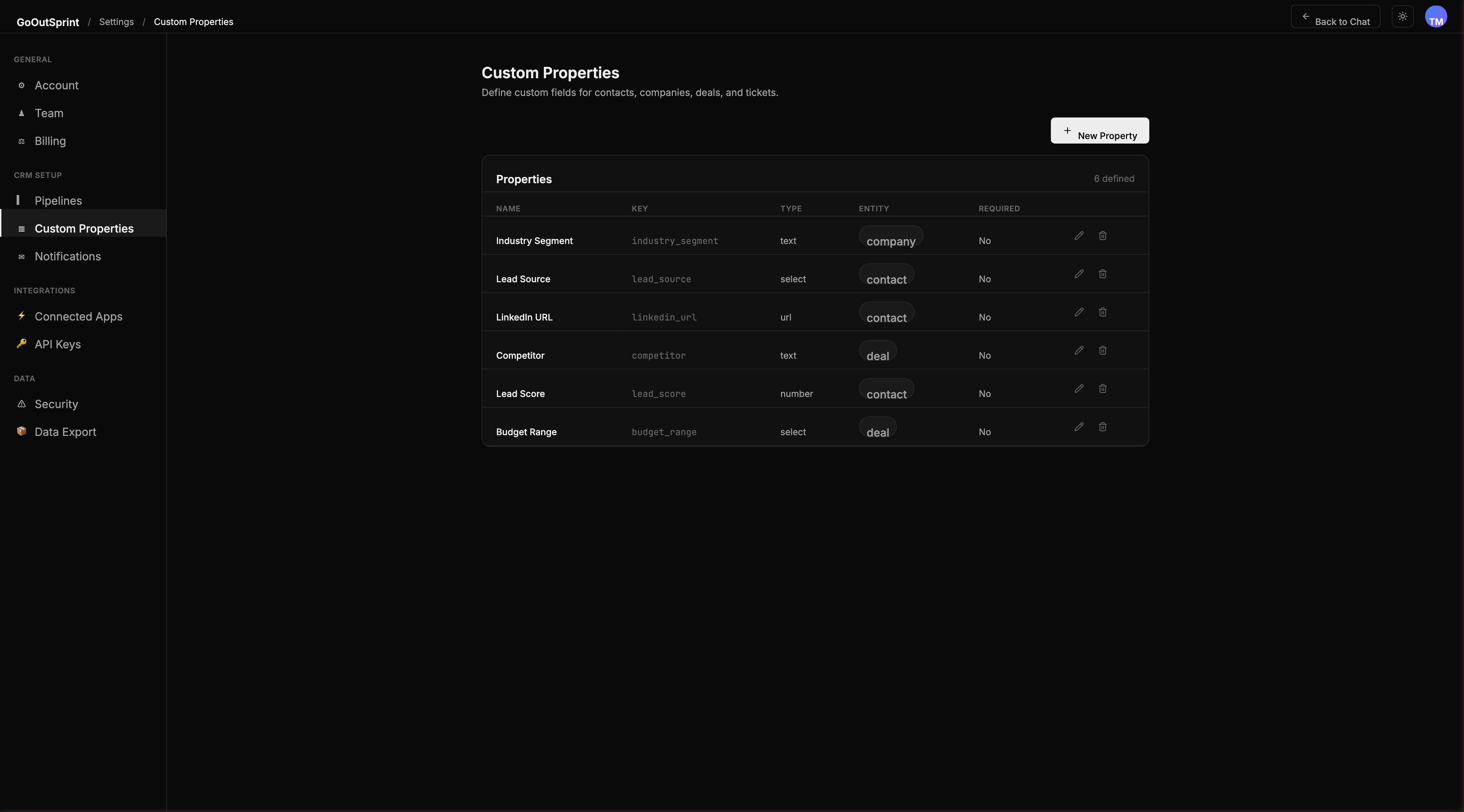
Overview
Custom properties let you capture data that is specific to your business. They are stored efficiently using JSONB with indexed lookups, so searching and filtering on custom properties is fast even at scale.
Creating a Custom Property
- Go to Settings > Custom Properties
- Select the entity type tab: Contacts, Companies, Deals, or Tickets
- Click + New Property
- Fill in the property details:
- Name -- the display label (e.g., "Lead Score")
- Internal Key -- auto-generated from the name (e.g.,
lead_score), immutable after creation - Field Type -- choose from the available types (see below)
- Required -- toggle if this field must be filled in
- Group -- organise related properties into groups
- Description -- optional help text shown below the field
- Click Save Property
Field Types
| Type | Description |
|---|---|
| Text | Single-line text, up to 500 characters |
| Long Text | Multi-line text area, up to 5,000 characters |
| Number | Numeric input with optional min/max validation |
| Currency | Number with currency symbol, uses your default currency |
| Date | Date picker |
| Datetime | Date and time picker with timezone handling |
| Select | Dropdown with predefined options |
| Multi-select | Multiple selections from predefined options |
| Checkbox | Yes/No toggle |
| Text input with email validation, clickable in views | |
| URL | Text input with URL validation, clickable in views |
| Phone | Text input with phone formatting, clickable in views |
Managing Select Options
For Select and Multi-select properties, you define the available options:
- Open the property editor
- Add options with labels and optional badge colours
- Drag to reorder options
- To delete an option that is in use, you will be asked to remap existing records to another value
Property Groups
Properties are organised into named groups for visual structure. You can create, rename, reorder, and delete groups. Deleting a group moves its properties to "Ungrouped."
Archiving vs Deleting
- Archive -- hides the property from forms. Existing values are preserved and the property can be restored later.
- Delete -- permanently removes the definition and all values across all records. You will see a confirmation with the count of affected records.
Warning
Deleting a custom property removes its values from every record in your account. This action cannot be undone.
Where Custom Properties Appear
Custom properties flow through the entire system:
- Forms and detail views in the admin UI
- Chat responses and AI assistant interactions
- Table render blocks and search results
- Import/export field mapping
- Filters and search queries