GDPR & Compliance
Outsprint is built with privacy and compliance at its core. As a Data Processor, Outsprint provides the tools you need to fulfil your obligations as a Data Controller under GDPR and similar regulations.
Data Subject Rights
Outsprint helps you respond to data subject requests for your contacts.
Right to Access (Export)
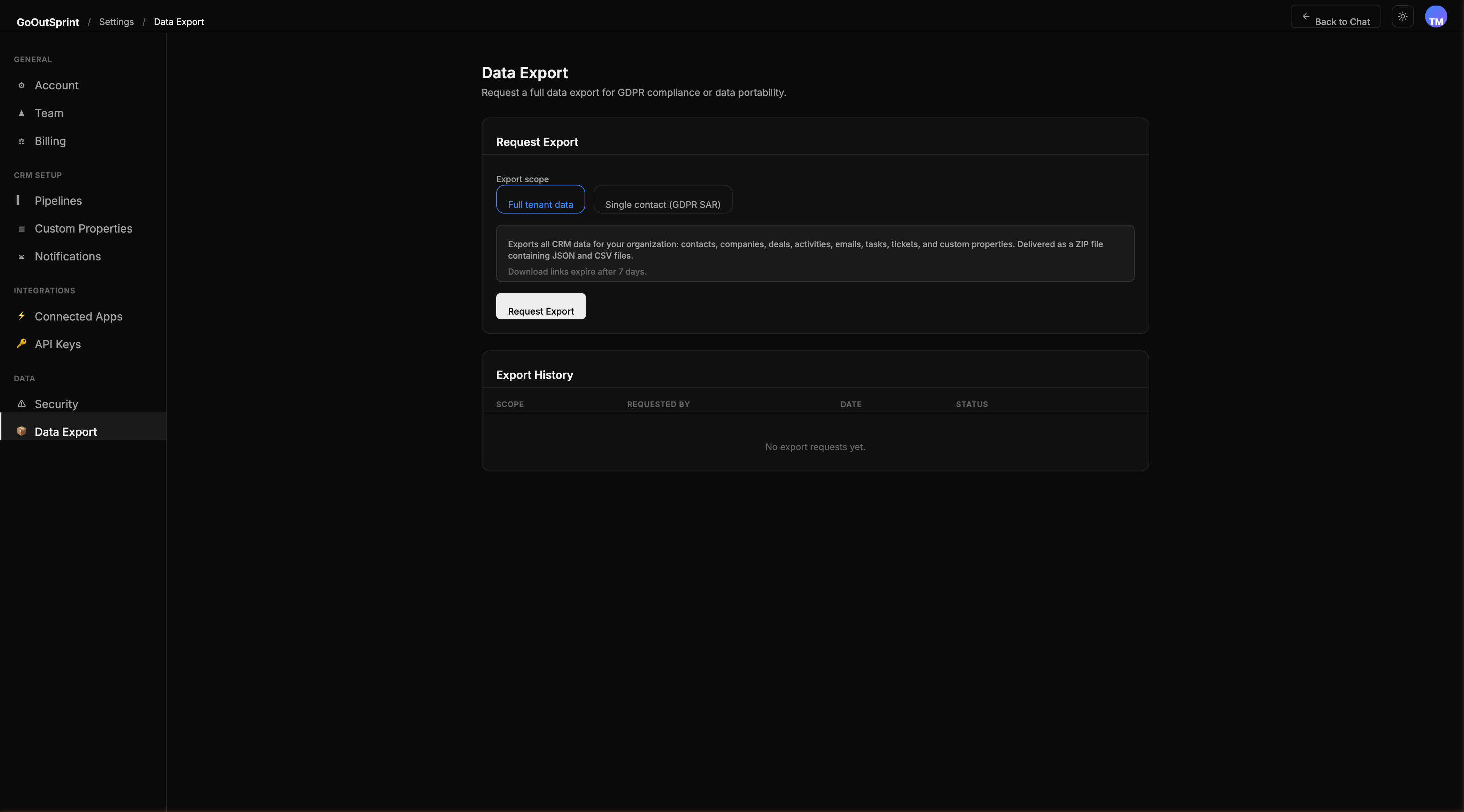
Export all data held about a specific contact:
- Go to Settings > Import / Export
- Select Single contact / GDPR SAR
- Enter the contact's email address
- Click Export
The export includes the contact record, emails, activities, deals, form submissions, and tickets. You can also use the chat: type "Export all data for john@example.com."
Right to Erasure (Deletion)
Permanently delete all data for a specific contact:
- Use the chat command: "Delete all data for john@example.com -- GDPR erasure request"
- The AI assistant shows a summary of what will be deleted
- Confirm the erasure
This removes the contact record, associated emails, activities, form submissions, ticket conversations, and vector search embeddings. Deal records are retained but the contact association is removed. The erasure is logged in the audit log.
Warning
GDPR erasure is permanent and cannot be undone. An audit log entry is created recording who requested the erasure and what was deleted.
Right to Rectification
Use standard CRM editing features to update any contact's data through the chat or admin interface.
Right to Portability
Use the export feature to download contact data in machine-readable format (JSON or CSV).
Consent Management
Marketing Consent
Each contact has a marketing consent status that is tracked with timestamp and source:
- Form submissions -- consent collected via checkbox on lead capture forms
- Imports -- consent status imported from your previous CRM
- Manual updates -- team members can update consent status directly
Marketing campaigns automatically exclude contacts who have not given consent.
Unsubscribe Handling
Every marketing email includes an unsubscribe link. When a contact unsubscribes, their marketing consent is set to false and they are removed from all future campaign sends.
Data Retention
Configure how long different types of data are kept:
| Data Type | Default | Configurable |
|---|---|---|
| CRM records | Indefinite | No |
| Synced emails | Indefinite | Yes (1, 2, or 3 years) |
| Chat conversations | Auto-archive after 7 days | Yes |
| Audit logs | 2 years | Enterprise: up to 7 years |
| Import/export files | 7-30 days | No |
Configure retention policies in Settings > Security > Data Retention.
Data Residency (Enterprise)
Enterprise customers can choose their data region during setup:
- US (default)
- EU (Ireland)
- UK (London)
- APAC (Singapore)
- Canada
- Australia
Data residency is set during provisioning and applies to your database, file storage, and vector search indexes.
Note
Data residency cannot be changed after initial setup without a full data migration. Choose carefully during onboarding.
Cookie Policy
Outsprint uses only strictly necessary and functional cookies. No analytics or third-party tracking cookies are used, so no cookie consent banner is required.