Notification Preferences
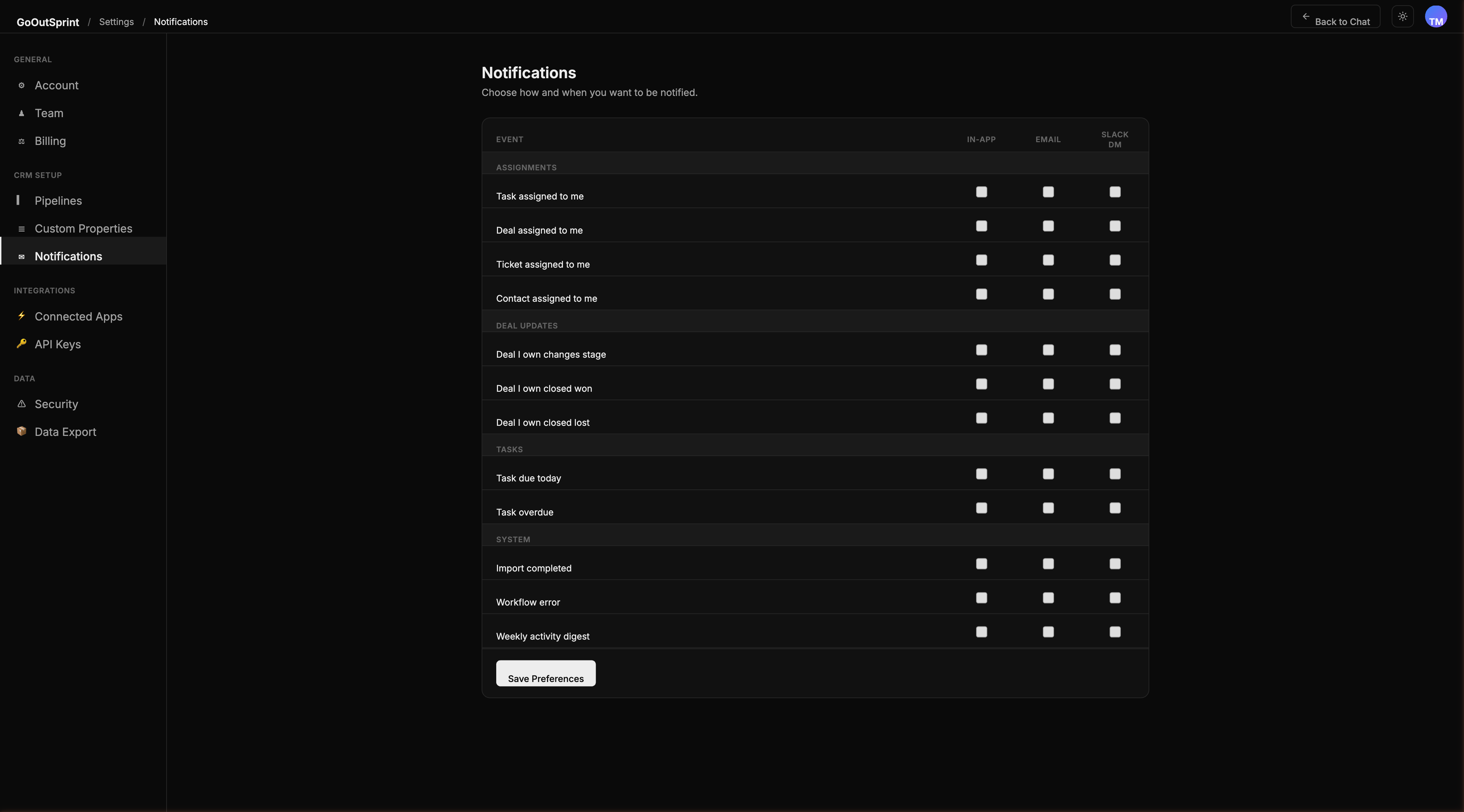
Choose how and when you want to be notified about CRM events. Each team member configures their own preferences across three notification channels.
Notification Channels
| Channel | Description |
|---|---|
| In-app | Badge on the bell icon in the sidebar with a slide-out notification panel |
| Sent to your login email address, with an optional daily digest mode | |
| Slack DM | Personal direct messages via the Outsprint Slack bot (requires Slack integration) |
Configuring Your Preferences
- Navigate to Settings > Notifications
- For each event type, toggle the channels you want to receive notifications on
- Click Save Preferences
Event Categories
The notification settings page organizes events into four categories, each with toggles for In-App, Email, and Slack DM channels:
Assignments
- Task assigned to me
- Deal assigned to me
- Ticket assigned to me
- Contact assigned to me
Deal Updates
- Deal I own changes stage
- Deal I own closed won
- Deal I own closed lost
Tasks
- Task due today
- Task overdue
System
- Import completed
- Workflow error
- Weekly activity digest
Email Digest Mode
Instead of receiving individual emails for each event, you can switch to a daily digest:
- Find the Email delivery setting at the top of the preferences page
- Choose Instant (each event as it happens) or Daily digest
- If you select digest, set your preferred delivery time (default: 8:00 AM in your timezone)
In-App Notification Panel
Click the bell icon in the sidebar to open the notification panel. Notifications are grouped by day and show an unread indicator (blue dot). Click any notification to navigate directly to the relevant record in the chat.
Pro Tip
Follow records you do not own to receive update notifications for them. You can follow any deal, contact, company, or ticket from its detail view.