Seats
Outsprint uses per-seat pricing. Your seat count adjusts automatically as you add or remove team members, and charges are prorated for the current billing period.
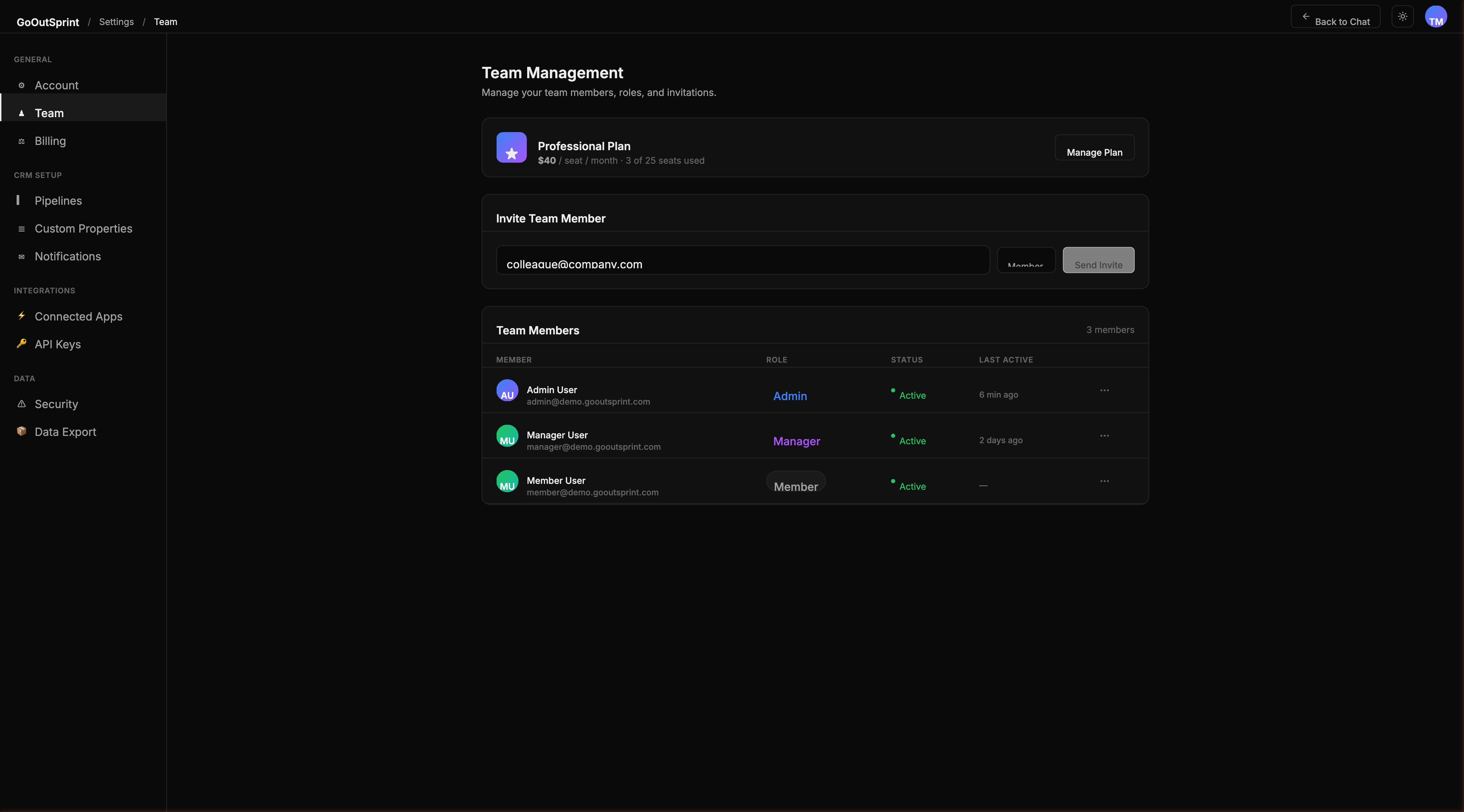
How Seats Work
- Each active team member occupies one seat
- Seats are billed at your plan's per-seat rate ($40/seat for Professional, $67/seat for Enterprise)
- Both plans include unlimited contacts and unlimited data -- only active users count as seats
Adding Seats
When a new team member accepts their invitation and joins your account, the seat count increases by one. The prorated cost for the remainder of the billing period is added to your next invoice.
You do not need to pre-purchase seats. They are added automatically during the invite acceptance process.
Removing Seats
When you deactivate a team member, the seat count decreases by one. A prorated credit for the remaining billing period is applied to your next invoice.
Viewing Your Seat Usage
Navigate to Settings > Billing to see the Usage card, which displays:
- Active seats and cost per month
- AI query usage (queries used vs. monthly allowance)
- Storage usage
The AI queries allowance is calculated as 1,000 queries per seat per month. For example, 8 seats gives your team an allowance of 8,000 queries per month.
Pro Tip
You can also check your seat count and billing in the chat. Just ask "How many seats do we have?" or "What's our current bill?"