Render Blocks
Render blocks are the rich, interactive components that appear inline in your chat conversations. Instead of plain text, Outsprint displays data as tables, charts, pipelines, forms, and more.
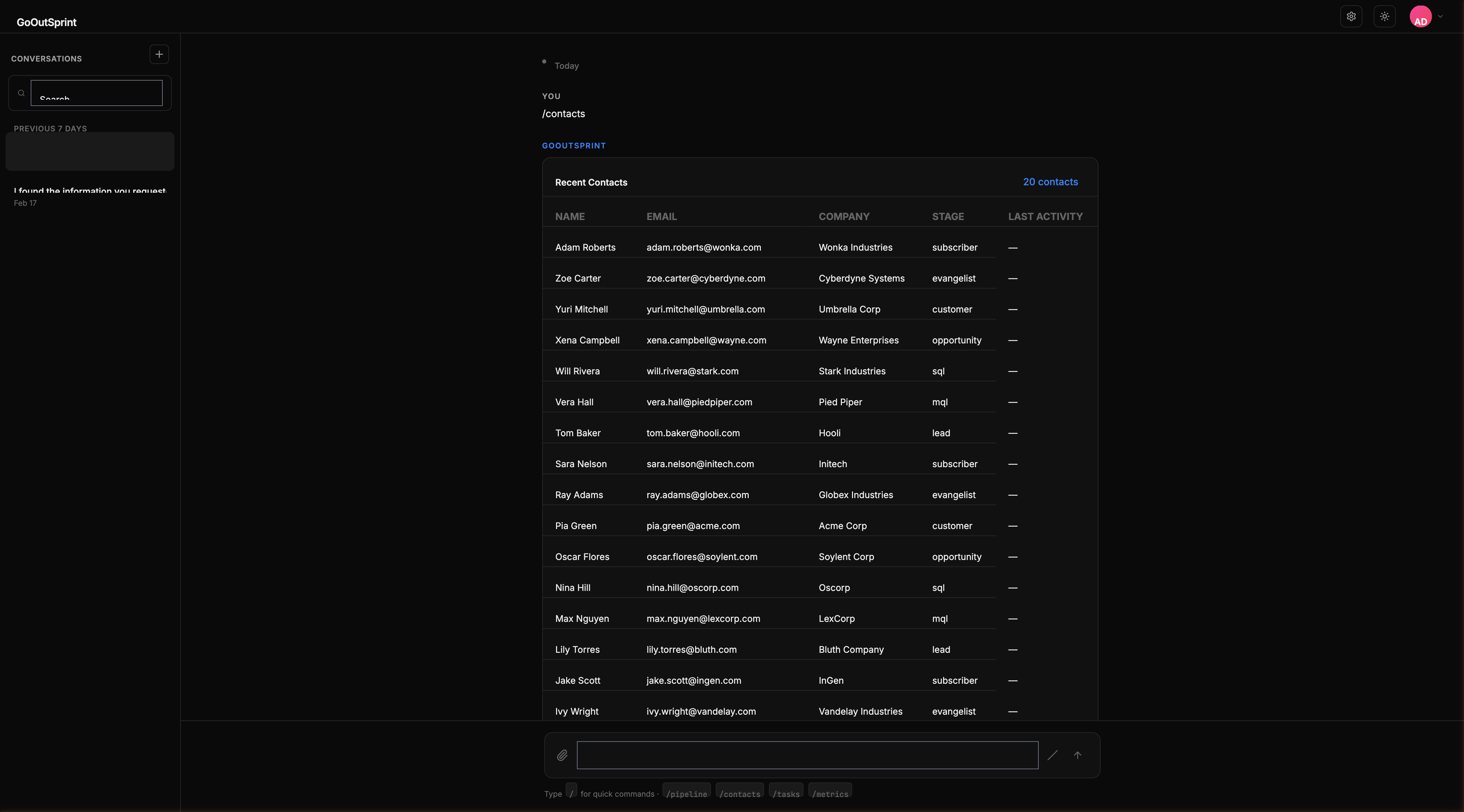
What Are Render Blocks?
When you ask Outsprint for data or perform an action, the response often includes visual components embedded directly in the conversation. These are render blocks -- self-contained UI elements that let you view, interact with, and act on your CRM data without leaving the chat.
Block Types
| Block | Description | Used For |
|---|---|---|
| Table | Sortable, paginated data table | Contact lists, deal lists, search results |
| Pipeline | Horizontal stage visualization | Deal pipeline overview, stage counts |
| Chart | Bar, line, pie, area, and funnel charts | Reports, analytics, trends |
| Card | Summary card for a single record | Contact details, deal details |
| Form | Inline data entry form | Creating or editing records |
| Timeline | Vertical activity feed | Activity history for contacts, companies, deals |
| Kanban | Drag-and-drop board | Pipeline detail view with deal cards |
| Email Preview | Email display | Viewing sent/received emails |
| Rich Text | Formatted text and metrics | AI summaries, key metrics, confirmations |
Shared Behavior
All render blocks share these patterns:
- Styled container with a subtle border and elevated background
- Header with a title and optional badges (count, total, status)
- Actions bar at the bottom with buttons like "Export CSV" or "Add to list"
- Collapsible -- Click to collapse a block to a single-line summary, useful for scrolling past old results
- Copy data -- Hover over tables and metrics to reveal a copy icon
- Mobile-friendly -- All blocks are full-width on mobile. Tables scroll horizontally, and pipelines stack vertically.
Pro Tip
Clicking on items within render blocks sends follow-up messages to the chat. For example, clicking a row in a contacts table sends "Show me details for [contact name]" automatically.
What's Next
- Tables -- The most common render block
- Pipeline Views -- Visualize your deal stages
- Charts -- Data visualizations for reports