Table Render Block
Tables are the most common render block in Outsprint. They display lists of contacts, deals, companies, tasks, tickets, and search results in a sortable, paginated format.
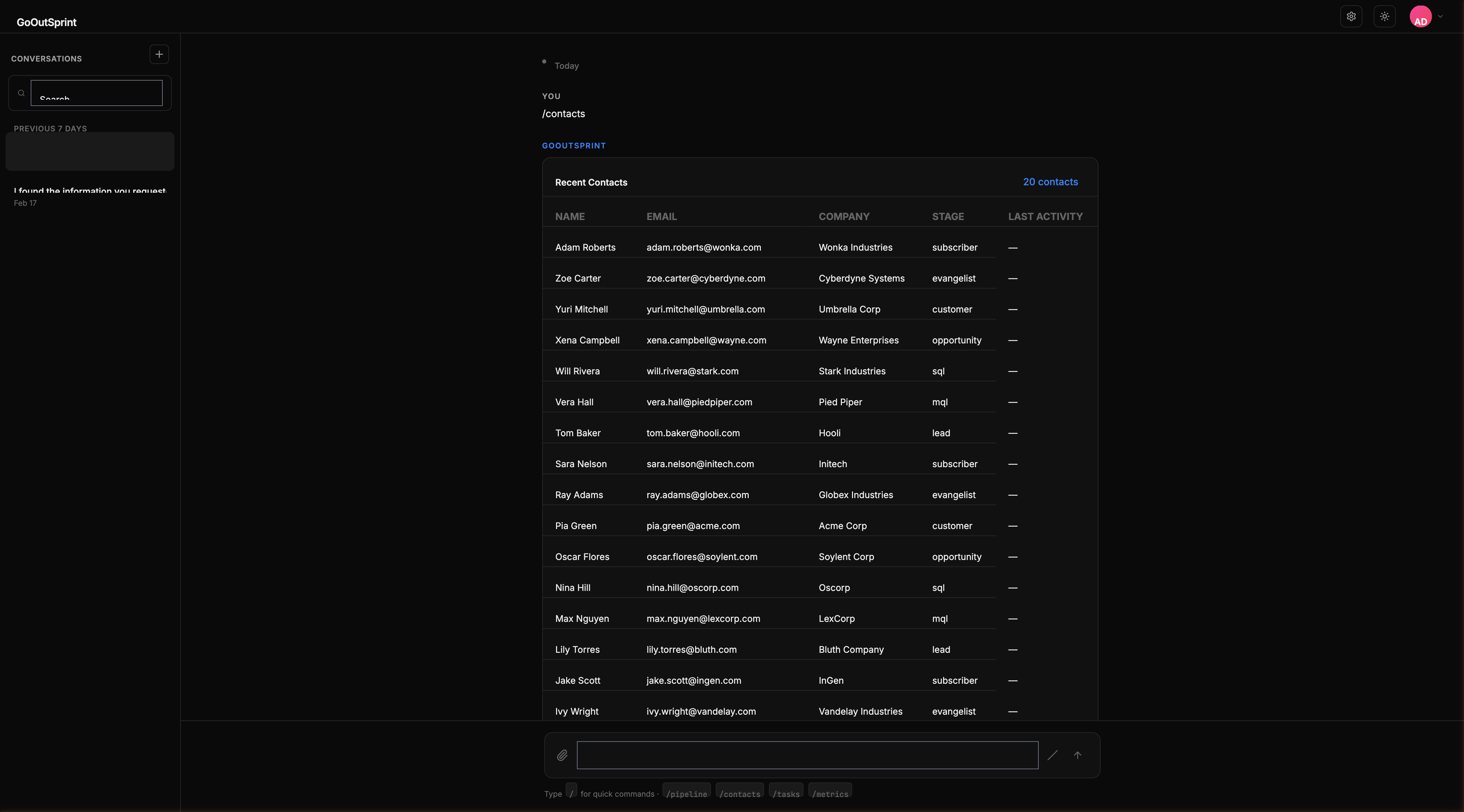
How Tables Appear
When you ask for a list of records or run a slash command like /contacts or /deals, Outsprint displays the results in a table.
The table appears below the AI's text, showing columns like Name, Email, Role, Stage, and Last Active.
Features
Sorting
Click any column header to sort the table. Click again to toggle between ascending and descending order. Sortable columns are indicated in the header.
Pagination
Tables show up to 10 rows by default. If there are more results:
- A footer shows "Showing 1-10 of 47"
- Use Next and Previous buttons to navigate pages
- You can expand the view to show up to 25 rows at once
Row Interaction
Click any row to get more details. This sends a message like "Show me details for Sarah Chen" to the chat, which returns the full record card.
Column Types
Tables support several column types:
| Type | Display |
|---|---|
| Text | Plain text |
| Badge | Colored status pill (e.g., lifecycle stage) |
| Currency | Monospace font for dollar amounts |
| Relative Date | "2 days ago", "Last week" |
| Avatar | Initials with name |
| Link | Clickable URL or email |
Actions
An actions bar below the table provides bulk operations like:
- Export CSV -- Download the displayed data
- Add to list -- Add selected records to a static list
- Bulk edit -- Edit fields across multiple records
Note
If your query returns no results, you'll see a helpful empty state: "No results found" with suggestions to broaden your search.
What's Next
- Pipeline view -- Visual stage representation
- Charts -- Data visualizations
- Back to render blocks overview