/contacts
The /contacts command lets you browse and search your contact list. It returns a table of contacts with key details.
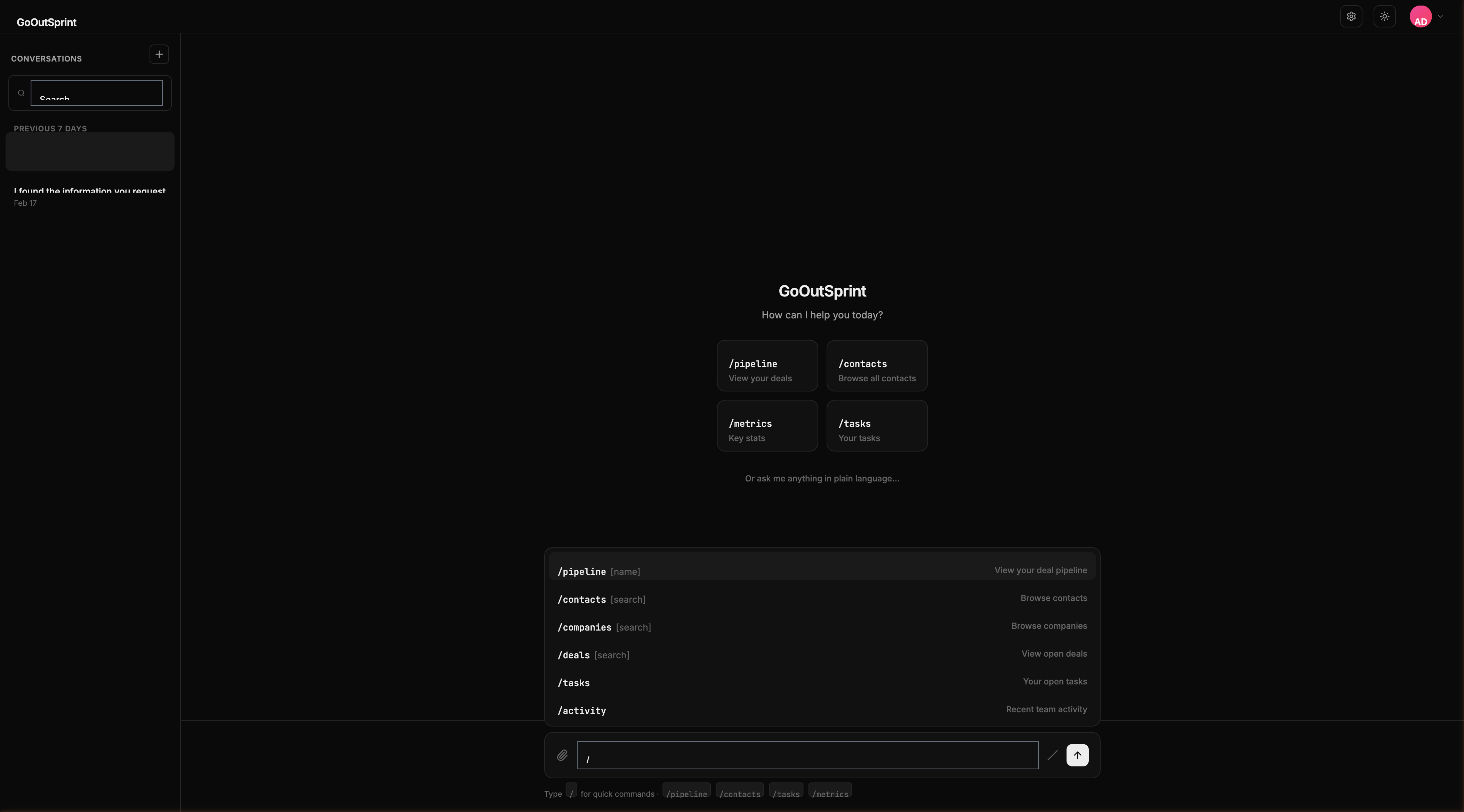
Usage
- No arguments -- Shows your 20 most recently updated contacts
- With search term -- Searches contacts by name, email, or other fields
Examples
| Command | What It Does |
|---|---|
/contacts | Shows recently updated contacts |
/contacts acme | Searches for contacts with "acme" in their name, email, or company |
/contacts @sarah | Filters contacts owned by Sarah |
/contacts #enterprise | Filters contacts with the "enterprise" tag |
What You See
A table render block with columns:
- Name -- Contact's full name
- Email -- Email address
- Company -- Associated company
- Stage -- Lifecycle stage (as a badge)
- Last Activity -- Relative timestamp of most recent interaction
Click any row to view the full contact card.
You
Outsprint AI
Empty State
If no contacts match your search, you'll see: "No contacts found for '[search]'. Try a different search or create a new contact with /new contact."
Pro Tip
Use /contacts as a starting point, then ask the AI to filter further: "Show me only the ones in the SQL stage."