Your First Conversation
Once you've signed up and completed onboarding, you're ready to start using Outsprint. This page walks you through your first interaction with the AI assistant.
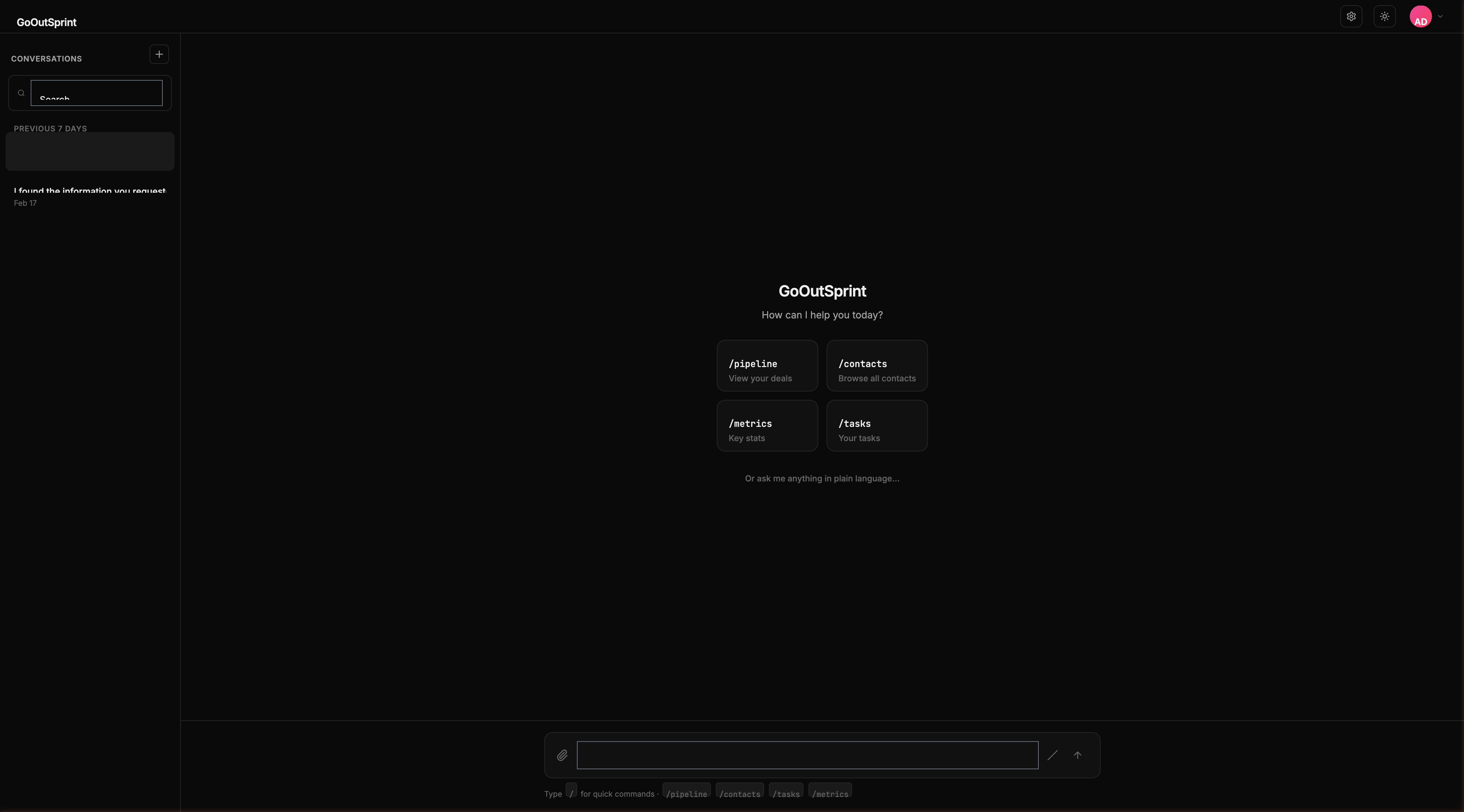
The Empty State
When you open a new conversation, you'll see a welcome screen with quick-start cards. These are shortcuts to common actions:
/pipeline-- View your deals/contacts-- Browse all contacts/metrics-- Key stats/tasks-- Your tasks
Click any card to run that command instantly, or start typing your own message.
Try a Natural Language Query
Type a question or instruction in plain English. Outsprint understands what you need and responds with the right data.
Try a Slash Command
Slash commands give you instant results without AI processing. Type / to see all available commands, then select one.
The pipeline appears as an interactive render block where you can click any stage to see its deals.
Create Your First Contact
You can create records by asking in natural language or using a slash command.
Outsprint shows you a contact card with all the details filled in, including an automatic company association if Acme Corp already exists in your system.
Follow Up Conversationally
The conversation flows naturally. After any result, you can ask follow-up questions.
Pro Tip
Slash command results are added to the conversation context, so the AI knows what you're looking at. Ask follow-up questions naturally.
What's Next
- Learn about the interface layout
- Explore render blocks -- The rich visual elements in chat
- Browse all slash commands